SEARCH YOUR TOPPIC ON THIS BLOG

Showing posts with label WEB DESIGN. Show all posts

Imagenomic Professional Plugin Suite for Adobe Photoshop and Photoshop Elements Build 1409 - Windows


The company has released an updated version of Imagenomic plug-ins for Adobe Photoshop and Photoshop Elements. It consists of: Imagenomic Portraiture 2.3.4 build 2341, Imagenomic RealGrain 2.0.1 build 2011 and Imagenomic Noiseware 5.0.3 build 5031.

Imagenomic RealGrain
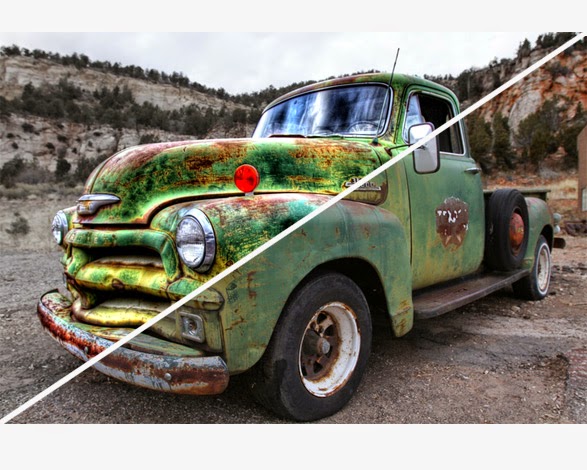
If you long for the darkroom age, the soft, warm graininess of the film, or you seek to infuse that fuzzy, retro look or perhaps enhance your digital photos by simulating the greater range and texture of traditional film, then Realgrain is the plugin for you. Realgrain features versatile methods for simulating the grain patterns, the color and the tonal response of different films and different scan resolutions to convey a truly film-like image effect.


Because Realgrain enables you to automatically adjust the grain size based on the physical image dimensions, it can dynamically render accurate grain patterns for varying image sizes. Realgrain's controls for grain balance, tonal and color fine-tuning enable you to generate superior output quality and picture vibrancy, and are simple and easy-to-use for a truly intuitive workflow experience.

Plus, Realgrain comes with precision presets for a range of default effect options. You can also capture your own signature workflow through custom presets tailored to your specific requirements and individual photographs.

Realgrain 2 is a new milestone in image effects and incorporates the second generation of Imagenomic's effects engine. Realgrain 2 not only looks different, it features plenty of improvements under the surface as well.

RealGrain 2 Features:
- Improved multi-core support provides up to 4x processing speed increase.
- Full 64bit compatibility on Mac and Windows.
- New Preset Manager with unlimited number of presets, multiple categories, notes and import/export.
- New History control with unlimited number of history steps.


Imagenomic Noiseware
Noiseware is the highly-acclaimed, award-winning software tool from Imagenomic that is setting the standard for digital image noise reduction. Noiseware leads the field for speed, quality and ease-of-use in restoring image fidelity by eliminating digital noise and unwanted artifacts introduced by high ISO photography and less than optimal environmental conditions.

The Better way to remove Noise
Noiseware is the highly-acclaimed, award-winning software tool from Imagenomic that is setting the standard for digital image noise reduction. Noiseware leads the field for speed, quality and ease-of-use in restoring image fidelity by eliminating digital noise and unwanted artifacts introduced by high ISO photography and less than optimal environmental conditions. Unlike most image processing software techniques that utilize simple methods (such as median filters) to treat digital noise in images, Noiseware features a sophisticated yet fast noise filtering algorithm. Using the adaptive noise profile capability and sharpening function, Noiseware greatly reduces the visible noise while keeping the details in the images.

CLICK-LESS WORKFLOW
Intuitive and Intelligent: True to its Easy-to-Use principle, Noiseware further streamlines sophisticated workflow into an intuitive experience. No camera profiles needed — just click once. Noiseware’s IntelliProfileTM algorithm, with its Self-Learning mechanism, will automatically calibrate a precision noise profile and choose the optimal settings for each individual image. The manual region sampling method is also available, if preferred.
COLOR AND TONAL RANGE | FREQUENCY | DETAILGUARD
New Unique Features: Noiseware includes three new control sets to enable a wide range of fine-tuning and superior output quality. Now you can adjust detected noise levels as well as noise suppression levels by tonal and color ranges. Noiseware's new DetailGuard preserves image details based on tonality range and processing degree, safeguarding picture details from excessive alteration.

Noiseware 5 is a new milestone in image noise reduction and incorporates the fifth generation of Imagenomic's noise reduction engine. Noiseware 5 not only looks different, it features plenty of improvements under the surface as well:
● Improved algorithm retains more details and is 25% more effective
● Improved multi-core support provides up to 4x processing speed increase
● Full 64bit compatibility on Mac and Windows
● New Preset Manager with unlimited number of presets, multiple categories, notes and import/export
● New History control with unlimited number of history steps

Imagenomic Portraiture
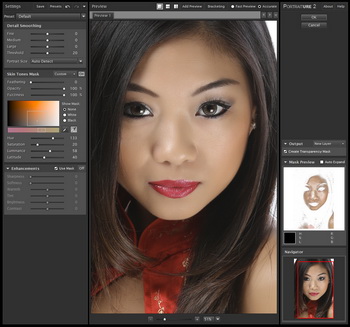
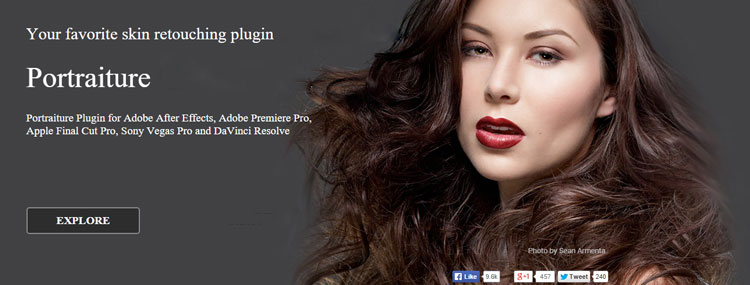
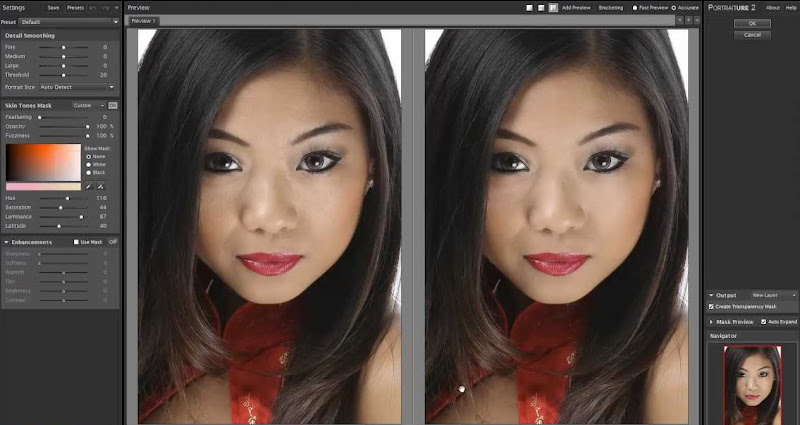
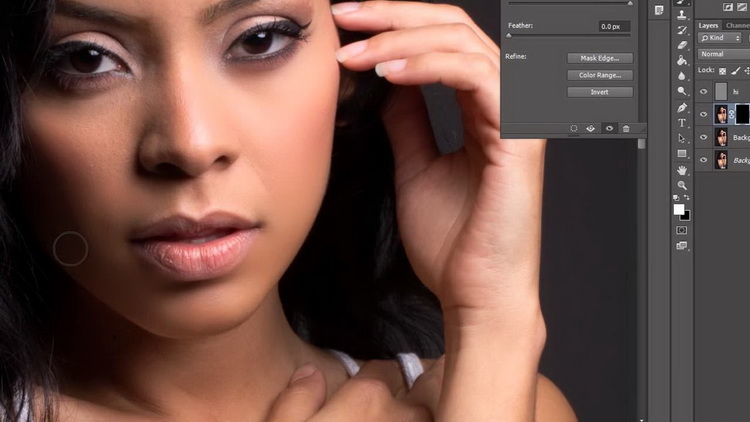
Imagenomic Portraiture is a Adobe Photoshop CS4/CS5/CS6/CC/CC 2014 or Elements 8/9/10/11/12 that eliminates the tedious manual labor of selective masking and pixel-by- pixel treatments to help you achieve excellence in portrait retouching. It intelligently smoothens and removes imperfections while preserving skin texture and other important portrait details such as hair, eyebrows, eyelashes etc.

Portraiture is built on the core technology and feature set of the original Portraiture Plugin, and will take your skin retouching workflow to the next level of performance, quality of results and overall ease of use. Dare we say, our Portraiture Plug-in will continue to transform the industry by enabling virtually all skill levels to achieve excellence in skin retouching across the spectrum of image subjects and production challenges, including portrait, full body, group shots, advertising, fashion, beauty, medical, and motion imagery, and without the familiar constraints or learning curves associated with other software products, plug-ins or digital retouching techniques.


Bring out the Best in Your Portraits
The best skin retouching tool just got better! Imagenomic has taken the highly acclaimed, award winning Portraiture Plug-in to the next level for fast, accurate, natural-looking skin retouching in Photoshop, and now Aperture, and in Lightroom via automation droplets.

Portraiture not only looks different, it features plenty of improvements under the surface as well:
• Multiprocessor support for maximum retouching speed and workflow performance
• Enhanced skin masking control that isolates adjustments to just the skin mask, in addition to global adjustments.
• Preset power and the flexibility to create, capture and share custom settings with the new Preset Manager
• New Preference Settings, including customizable latitude adjustments for mask defaults, and User Interface skins and image display preferences
• Auto-updating feature so you always have the latest updates from Imagenomic

OS : Windows XP/Vista/Windows 7/Windows 8.1, 1GB RAM, 100MB HDD, 1280x800 min resolution, Photoshop CS4/CS5/CS6/CC/CC 2014 or Elements 8/9/10/11/12/13
Language : English

Incomedia WebSite X5 Evolution 11.05.24


Languages: Bulgarian, Czech, Danish, Dutch, English, French, German, Hungarian
Italian, Polish, Portuguese, Russian, Slovak, Slovenian, Spanish, Turkish
WebSite X5 is an all-in-one solution packed with tools to create and publish professional websites, online shops and blogs in just 5 easy steps. WebSite X5 is designed to work like a wizard, visually guiding users through the steps to create and publish a complete, functional and professional website. No programming skills required! WebSite X5’s templates design the page – all users need to do is drag and drop objects to create pages. With a selection of website objects to choose from including videos (with support for YouTube), image galleries, integrated e-commerce with partners such as PayPal, podcast and RSS content, plus video and Shockwave Flash animations – creating a professional website could not be easier.


Features:
- 1,500 professional and customizable templates.
- E-commerce with credit card payment facilities.
- Blogs with Podcasts and Videocasts, and RSS Feeds.
- Built-in website search engine.
- Import YouTube videos and Flash animations.
- Flash and JavaScript galleries with photos and videos.
- E-mail forms with anti-spam filters.
- Advert management.
- Members’ areas with authorized access.
- Multi-language websites.


Adobe Photoshop CC 2014 15.2.2 x64 Portable + some pluggins included...


Includes all Imagenomic plug-ins and Nik Software with Analog Efex Pro 2, Updated version from 27.03.2015
Adobe Photoshop CC 2014 new, next CC (v14) version of the program for processing raster graphics. Supports numerous graphic formats. Adobe Photoshop allows you to create new images and edit them. Photoshop used to create photorealistic images to work with color scanned images, retouching, color correction, collage, transformation of graphs, color separation, etc Adobe Photoshop has all the methods of working with bitmap images, has the ability to work with layers and uses the contours. The program is the undisputed leader among professional graphic editors due to its widest possibilities, high efficiency and speed. Adobe Photoshop provides all the necessary tools for correcting, editing, preparing images for printing and high quality output.

What's new in Adobe Photoshop CC 2014:
Improvements to smart object. Save links to external files, automatically packaging them in a single directory. It is also possible to convert existing embedded smart objects in linked smart objects.
Improved layer comps. Save time at work with layers, because now you can change the visibility, position, or appearance of one layer, and then distribute the changes to all other layers in the composition. In addition, you can view the attributes of each layer comp and switch between the compositions of the layers into a smart object.
Blur in motion. Use the blur effect loop to add the blur along any path, and the blur effect when you rotate to create a circular or elliptical blur. The mechanism of Mercury Playback Engine allows you to use all the filters blur even faster.
Mask areas of focus. Let Photoshop help to start a mask by automatically selecting areas of focus in the image. This feature is great for portraits and other images with low depth of field, and the Mercury Graphics Engine delivers fast processing of such images.
Advanced editing content-aware. New technology implemented in tools Fill with content-aware", "Move with content-aware" and "Patch based content, neatly blends the field with a gradient fill (e.g. the sky), allowing you to achieve the most natural and realistic results.
More efficient "smart guides. Forget about the need to align multiple shapes or objects at a precise distance from each other on the workspace. Now the distance between objects can be viewed in pixels for a more accurate placement of content.
Fonts for desktop computers from Typekit library. Select the desired fonts in the Typekit library, sync them to your desktop computer and immediately start to work with them from the font menu in Photoshop. Photoshop will even automatically replace missing fonts in documents. Search of fonts. Search for fonts by name, and see instant previews.
The advanced capabilities of three-dimensional printing. Now you can see exactly where and how Photoshop corrected 3D mesh, which facilitates the adjustment of the project in 3D modeling apps from third party suppliers. Achieve more accurate renderings of your models before you print thanks to an accurate display of the preview (WYSIWYG). Use the support of a larger number of three-dimensional printers and service providers such seal.
Improvements in Adobe Generator technology. Simplify the process of naming a work content Generator and flexibly organize the output by specifying default values that apply to the entire document, and the ability to specify a sub-folder for the exported materials. Generator also provides developers with new API, allowing them to create a more efficient external modules.
Improvements in Adobe Camera Raw 8. Thanks to the improvements in this module improves the accuracy of the reconstruction of images, fix perspective distortions, and create vignettes. In addition, you have access to the interactive histogram, previews of the material before and after the changes, as well as to many others.
Improved support for Windows 8.1 stylus. Enjoy the opportunity to work quickly and comfortably with a feather on Windows 8.1 devices and enjoy smoother brush strokes due to more frequent sampling.
Extended support of the Mercury Graphics Engine. Upsample images up to 15 times faster (depending on the file size and video card configuration), as a mechanism Mercury Graphics Engine now delivers improved performance of OpenCL. The mechanism used to process the new blur filters in motion, as well as for the mask feature focus areas.
Experimental features. New customization options allow you to evaluate the new features of Photoshop and help in their development before they will be formally implemented in the product.
Intelligent upsampling, even faster. Increase the image is low resolution for use in print, or start with a larger image to the size of a Billboard or Billboard. The zoom function allows you to keep the level of detail and sharpness of the image and to eliminate noise, and now, thanks to OpenCL performance boost due to the use of Mercury Graphics Engine you can see the results instantly.
Improved workflows. Improved functions allow applications to increase the speed and usability. Now you have access to an expanded panel of flowers and the list of recently used brushes, functions, settings sync working environment and shortcuts, and the ability to customize the menu using the function "Sync settings, etc.
And much more. Also contains support for very large files PNG; color coding tables 3D; new video formats, including Sony RAW and Canon RAW, and much more.

Among the most interesting innovations are the following:
"Smart" algorithms sharpening reduce the halo effect and the noise amplification at higher micro-contrast.
Intelligent upsampling is a powerful and versatile tool to enlarge the image, whether it be a picture from your phone or high-quality photo that you want to "stretch" to poster format.
Camera Raw 8 - used as a filter to a layer or file, including video files; includes effects of gradients, automatic perspective correction, elimination of defects, are already available in the beta version of Adobe Lightroom 5.
Camera Shake Reduction - the long-awaited mechanism capable of analyzing the image to determine the trajectory of blur caused by movement of the camera or tremor of the hands of the photographer, and restore the sharpness of the picture (see video below).
Extended functionality of the Smart Object. Now objects support non-destructive, parametric overlay filters family of Blur.
Conditional action is incredibly useful in batch processing scripts Actions received a conditional statement "if, then". Allows you to automatically run a different sequence of actions when certain conditions.

Serif WebPlus X8 16.0.1.21 - 2015 EDITION - Web Design being easy


Everything you need to create your own website. The most powerful web design software we’ve ever made. WebPlus X8 has so many new features to give you more power and control over your websites than ever before. Experience our best ever website designer today, we know you’ll love it!
Stunning websites, stunning images
Images speak more than a thousand words, so we’ve made it even easier to add life to your website in WebPlus X8. Galleries are more flexible, and you now have more controls than ever before. Tell your story through a sequence of images by organising photos by the time they were taken, so that they display in the correct order. Creating a masterpiece takes time, but creating an amazing website, with stunning galleries only takes a few clicks in WebPlus!

- Add extra security to your work with the new Watermarking feature. Imprint your own digital mark onto every image that you display on the web by adding semi-transparent text and logos to photos, with full control over position, size, colour, plus so much more.
- Your customers will experience a whole new way of interacting with photos as the new magnifier allows you to showcase your products and images in greater detail. Through the magnifier, visitors can zoom and pan around to see your images at their highest resolution.
- It’s now even easier for people to share your amazing imagery with the world too. A new rollover Pinterest button can be applied to images so that your art, crafts and photography can be shared in just one click!

Your web forms, your style
It’s so important to interact with your customers, so we’ve made it easier with even more readymade forms to fit your company’s needs. Choose from a variety of pre-made themes, including feedback forms, contact us and sign up forms, which you can then personalise using built-in options, and by using your very own background colours.
In one simple form, you can open your business up to instant feedback, while still maintaining an air of privacy and professionalism that a simple email us link can’t do. You’ll capture more responses with no coding necessary. It’s really that easy.
Smart objects that work for you
Whether you are an expert, novice or somewhere in between, you want your web tools to be as intuitive as possible. So, to help with this, the Smart Objects in WebPlus have been re-engineered to suit your needs.

Create and manage a range of powerful and popular web features for free, such as forums, blogs, accommodation booker, and much more, all with just one log-in. Smart Objects can now be stored more easily too, and then re-used for other sites, as well as used multiple times within one site with a variety of settings. You’ll also enjoy a more effective site search that allows visitors to search blogs, regular content and smart objects, to find exactly what they need fast.
Make an impact with the new Slider Studio
Making beautiful websites is so easy with the new Slider Studio. Set slider behaviour, control interactivity, and add, remove and fully design panels all in one place. Every slider can be easily customised to fit your website design, and your needs. The dedicated Slider Studio makes adding that visual impact so easy.

Smoother, sleeker, with more customisation
Create beautiful, interactive websites by adding a whole host of sleek effects. You’ll enjoy having objects fade and animate in and out of view as well as a smooth page scroll when moving up and down your pages for a greater user experience.

The new Embeddable Fonts List lets you select from a range of attractive, web safe, embeddable fonts that still look as intended without being converted to graphics. This ensures that your website will be picked up in search engines much easier and your website text will look exactly as it is intended to be. And with 40 embeddable fonts included, you can rest assured that fonts are now more accessible and will maintain their appearance on any screen.

Fine tune your website graphics with new and improved filter effects such as the cool retro Trail effect, directional feathering, drop shadows and much more.

Live web design assistant
WebPlus becomes your website design companion; it’s there for you every step of the way. With the new interactive, task-based web design assistant, your site design is controlled at all times, and you’re reminded when something just isn’t quite right. Automatically or manually fix errors in real-time and prompt SEO improvements. WebPlus X8 gives you the stepping stones to create a flawless website quickly, and easily.

Organising your website tasks has never been easier too, with the ability to add your own intuitive reminders, letting you take a step back and make sure you’ve got it just right before anything goes live.

And there’s so much more…
There are so many amazing new features in WebPlus X8 to enjoy, and believe it or not, we’re giving you more…! You now have the ability to scan images into your site directly from WebPlus, place text into websites as plain text and have even greater control over the style of your links, giving your users a smoother, sleeker online experience. The list is endless, so get your hands on WebPlus X8 today, you’ll love it just as much as we do.

What’s new in Serif WebPlus X8:
- Stunning websites, stunning images
- Your web forms, your style
- Smart objects that work for you
- Make an impact with the new Slider Studio
- Advanced design, powerful HTML5
- Smoother, sleeker, with more customisation
- New site membership controls
- Your site, safe and secure
- Export your Widgets
- Live web design assistantHome: www.serif.com/webplus/


Code Lobster PRO - PHP Edition v5.2 - Get coding without any fear


Codelobster PHP Edition streamlines and simplifies the PHP development process. You don't need to keep in mind the names of functions, arguments, tags or their attributes -- we've implemented all these for you with autocomplete features for PHP, HTML, JavaScript and even CSS. And you can always get necessary help information by pressing F1 or using the special Help control.


An internal free PHP Debugger allows you to validate your code locally. It automatically detects your current server settings and configures corresponding files in order to let you use the debugger.

Nowadays most sites are developed using various CMS's and frameworks. For their usage we propose our more advanced Professional version.


Sublime Text 3.3065 OSX (The beauty and versatility to develop websites and others) include emmet plugin


Sublime Text is a sophisticated text editor for code, markup and prose.
You'll love the slick user interface, extraordinary features and amazing performance.


Key Bindings, Menus, Snippets, Macros, Completions and more - just about everything in Sublime Text is customizable with simple JSON files. This system gives you flexibility as settings can be specified on a per-file type and per-project basis.


Adobe Creative Cloud Collection 2014-12-20 For Windows


Languages: German, English, Italian, Spanish, French, Japanese, Portuguese, Turkish, Finnish, Danish, Hungarian, Swedish, Russian, Ukrainian, Hebrew, Dutch, Simplified Chinese, Traditional Chinese, Korean, Czech

Be up to date with all the latest Adobe CC software for the New Year

The 2014 release of Creative Cloud includes all-new versions of 14 CC desktop applications. This release includes hundreds of new features — including major performance improvements — and countless refinements in the tools you use the most, plus support for cutting-edge hardware and standards. It also includes new mobile apps such as Adobe
Sketch and Adobe Line, new Adobe creative hardware like Adobe Ink and Adobe Slide, as well as new integrated cloud services and features.
Adobe Creative Cloud (CC) works on a software as a service model, a monthly or annual subscription service delivered over the Internet, whereas Adobe Creative Suite (CS) was purchased via a perpetual software license. The CC is downloaded from the Internet, installed directly on a local PC and used as long as the subscription remains valid. Online updates and multiple languages are included in the CC subscription. Thanks to the synchronization, you can synchronize the installation and setup on two computers using the Creative


Includes:
• Adobe Acrobat XI Pro 11.0.10 Multilingual
• Adobe After Effects CC 2014 v13.2.0 Multilingual
• Adobe Audition CC 2014 7.2.0 Multilingual
• Adobe Bridge CC v6.1
• Adobe Captivate v8 Win64
• Adobe Captivate v8 Win86
• Adobe Dreamweaver CC 2014 v14.1 Multilingual
• Adobe Edge Animate CC v2014.1 Multilingual
• Adobe Flash Professional CC 2014 v14.1.0 Multilingual
• Adobe Illustrator CC 2014 18.1.1 Multilingual x64
• Adobe Illustrator CC 2014 18.1.1 Multilingual x86
• Adobe InCopy 10 LS20
• Adobe InDesign CC 2014 10.1.0.70 x64
• Adobe InDesign CC 2014 10.1.0.70 x86
• Adobe Media Encoder CC 2014 8.2.0 Multilingual
• Adobe Muse CC 2014.2.1.10
• Adobe Photoshop CC 2014 v15.2.2 Multilingual x64
• Adobe Photoshop CC 2014 v15.2.2 Multilingual x86
• Adobe Photoshop Lightroom 5.7.1 Multilanguage
• Adobe Prelude CC 2014 v3.2.0 Multilingual
• Adobe Premiere Elements 13.0 Multilingual
• Adobe Premiere Pro CC 2014 8.2.0 Multilingual
• Adobe RoboHelp 11.0.3 Multilingual
• Adobe SpeedGrade CC 2014 v8.2.0 Multilingual


Adobe Creative Cloud Collection 20 December 2014 For MacOSX


Languages: German, English, Italian, Spanish, French, Japanese, Portuguese, Turkish, Finnish, Danish, Hungarian, Swedish, Russian, Ukrainian, Hebrew, Dutch, Simplified Chinese, Traditional Chinese, Korean, Czech

The 2014 release of Creative Cloud includes all-new versions of 14 CC desktop applications. This release includes hundreds of new features — including major performance improvements — and countless refinements in the tools you use the most, plus support for cutting-edge hardware and standards. It also includes new mobile apps such as Adobe Sketch and Adobe Line, new Adobe creative hardware like Adobe Ink and Adobe Slide, as well as new integrated cloud services and features.

Adobe Creative Cloud (CC) works on a software as a service model, a monthly or annual subscription service delivered over the Internet, whereas Adobe Creative Suite (CS) was purchased via a perpetual software license. The CC is downloaded from the Internet, installed directly on a local PC and used as long as the subscription remains valid. Online updates and multiple languages are included in the CC subscription.


Thanks to the synchronization, you can synchronize the installation and setup on two computers using the Creative Cloud.
Opportunity to publish their work in the Behance
Ability to work with HDR in Camera Raw
Improving filters Min and Max, who can create a more accurate selections and masks
In Photoshop CC includes Adobe Camera RAW 8
Ability to use Camera RAW as a Smart Filter
You can set the Photoshop CC on 2 computers, and now it can be done on a Mac and a PC within the same license (previously you had to buy two different versions), provided that they do not work at the same time.
and of course the cloud storage;)

Applications

Adobe Acrobat XI Pro v11.0.10 Multilingual
Adobe After Effects CC 2014 v13.2.0 Multilingual
Adobe Audition CC 2014 7.2.0 Multilingual
Adobe Bridge CC 6.1.0.116
Adobe Captivate v8.0 Multilingual
Adobe Dreamweaver CC 2014.1 Build 6947 Multilingual
Adobe Edge Animate CC 2014.1.1 Multilingual
Adobe Edge Animate CC v2014.1 Multilingual
Adobe Flash Professional CC 2014 v14.1.0 Multilingual
Adobe Illustrator CC 2014 18.1.1 Multilingual
Adobe InDesign CC 2014 10.1.071 Multilingual
Adobe Media Encoder CC 2014 v8.2.0 Multilingual
Adobe Muse CC 2014.2.1.10 Multilingual
Adobe Photoshop CC 2014 v15.2.2 Multilingual
Adobe Photoshop Elements 13.0
Adobe Photoshop Lightroom 5.7.1 Multilingual
Adobe Prelude CC 2014 v3.2.0 Multilingual
Adobe Premiere Elements 13.0 Multilingual
Adobe Premiere Pro CC 2014 8.2.0 Multilingual
Adobe SpeedGrade CC 2014 v8.2.0 Multilingual


FREE 10 WEB HOSTINGS FOR YOUR WEBSITE, WORPRESS, BLOGGER OR ANY OTHER - before you get a real website try this ones for free !!!!!!


Not usual to post this kind of articles but i believe is very useful specially for those people who are enthusiastic to get inside the web design world, as i am
there is outside a lot probably millions of this kind of hostings but not all of them are good as these on here, i had being try for very long time and many of them have tricky things to keep you inside and if you dont follow them they simply cancel your account, 
if you know or have another more different of these here, just leave your comment at the end and let the rest of the people know and try
Here is a list of best free web hosting site which provide you hosting free of cost. If you have a blog on WordPress orBlogger can’t get any free hosting service then this article is for you. So, for many things these free web hosting sites might came in handy.
You must be knowing that if run a website you have to GET two things
  1. Domain Name: Which register your website name to the world wide web.
  2. Web Hosting: Web hosting means a computer which is shared by many users (if you don’t have a vps hosting), on which your website data will be stored and your website will be running at that PC.


these are some of the features you would get for free hosting

1. Unlimited Bandwidth
10 Gb Space
10 Mysql database
10 Sub Domains
10 Addon domains

100% free, no ads, no hidden cost web hosting.
C Panel with top web tools.
Easy installation of CMS such as wordpress and joomla.
Free image, video hosting as well.
Good technical support.
Unlimited addon domains.
Free Website Builder

2. Unlimited Bandwidth
Unlimited Storage Space
Unlimited MySql Databases
Unlimited Domain names.
Unlimited Ftp Accounts.
Unlimited Email Address.

Free Unlimited Web Space which means you can host large website as well.
Free Domain Name Hosting.
No Advertising or Popups.
Reliable Service.
24/7 UK Based Customer Service.

Unlimited Disk Space
Webmail
Automatic Script Installer
Unlimited MySql Databases
Unlimited FTP Account.
Free Account Activation.

3. Unlimited Webspace
Unlimited Bandwidth
Control Panel or “Cpanel”
Auto Script installer.
Unlimited email address.
Ip address deny manager.

2000 Mb Space
100 Gb Bandwidth
No Ads or Pop Ups
Php and MySql are provided
Site builder and Script Installer.


20 Gb Disk Space
150 Gb bandwidth
99.9% Uptime
Free cpanel and Sub domains.

5GB SSD Storage
Unlimited WordPress Sites
Unlimited Data Transfer
1GB Email & Free Global CDN
Lightning Fast & Strong Security
Preconfigured W3 Total Cache Plugin
Manage Your Database via phpMyAdmin
Upload &  Download Files via SFTP
The easy to use control panel which you do not have to learn before start blogging.

5000MB Disk space
50000MB Data transfer (Monthly)
Unlimited Number of Accounts
FTP Access
Ads free WordPress Hosting
5 MySQL Databases
Sub-Domains
File Manager and more..
Free sub-domain names.
Lots of web templates
Easy to use control panel.


LINK-1


LINK-2


** PLEASE LEAVE YOUR COMMENT OR OPINION ABOUT, OR EVEN CONTRIBUTE BY PROVIDE NEW ONES AND BETTER, IF YOU HAVE


ADOBE PHOTOSHOP CC PORTABLE v15.2.1


Ideal for photographers, graphic designers, and web designers, the professional standard delivers new features such as automatic layer alignment and blending that enable advanced compositing. Live filters boost the comprehensive, nondestructive editing toolset for increased flexibility. And a streamlined interface and new timesaving tools make your work flow faster. Adobe Photoshop CC Extended software delivers all the features in Photoshop, plus new features for working with 3D imagery, motion-based content, and advanced image analysis. If you work in film, video, multimedia, 3D, architecture, manufacturing, engineering, medicine, or science, Photoshop Extended is for you.Adobe Photoshop CC 2014 15.0 - the essential software for perfecting your images, offers productivity and workflow enhancements, powerful new editing tools, and breakthrough compositing capabilities. Adobe Photoshop CC software accelerates your path from imagination to imagery.
Adobe Photoshop CC 2014 15.0 gives more freedom, speed, and power to make incredible images real. You'll get dozens of new and reinvented features, including the most advanced sharpening tool available. Share work right from Photoshop CC to Behance to get feedback and showcase your own projects. Get access to new features the moment they're released. Your entire creative world, together in one place. Only in Adobe Creative Cloud.

Use all-new Smart Sharpen to make details stand out. Turn low-res shots into big, high-res images. Get all the advanced 3D editing and image analysis tools that were previously available only in Adobe Photoshop CC Extended.

Quickly restore sharpness to images blurred by camera motion, whether the blur was caused by a slow shutter speed or long focal length. With Camera Shake Reduction, you can make your shots steady - even if your hands aren't.

Overall Adobe Photoshop CC features:
* Revolutionary new features, a fluid user experience, and improved access to the unrivaled power of Photoshop
* A more intuitive user interface and new nondestructive editing features that put you in control, including the new Adjustments and Masks panels
* Content-Aware Scaling - advanced auto-blending that extends depth of field, and industry-leading editing and compositing with reengineered color-correction tools
* Significant productivity enhancements that provide increased flexibility and enable you to leverage the power of today's faster graphics processors
* Breakthrough 3D editing and compositing capabilities and improved video controls to dramatically expand your creative options
* Comprehensive image analysis with enhanced measurement and counting tools, as well as support for DICOM images and MATLAB processing routines

New and Enhanced Features:
* NEW A more connected Photoshop
* NEW All-new Smart Sharpen
* NEW Intelligent upsampling
* NEW Extended features included
* NEW Camera Raw 8 and layer support
* NEW Editable rounded rectangles
* NEW Multi-shape and path selection
* NEW Camera Shake Reduction
* NEW Expanded Smart Object support
* NEW Improved 3D painting
* NEW Improved type styles
* NEW Copying of CSS attributes
* NEW Conditional Actions
* NEW Improved 3D Scene panel
* NEW Workflow time-savers
* NEW Improved 3D effects
* NEW Color import from web files
* NEW System anti-aliasing for type

* Content-Aware technologies
* Mercury Graphics Engine
* Powerful tools for design
* Intuitive video creation
* Blur Gallery
* Intuitive 3D tools and DICOM support
* Background save and auto-recovery
* NEW Improved Min and Max filters

Adobe Photoshop CC is part of Creative Cloud. That means you have access to all the latest updates and future releases the moment they're available. Use Save to Cloud to keep your files organized across multiple computers. And with Behance integration, you can share your projects straight from Photoshop CC and get immediate feedback from creatives around the world.

Adobe Photoshop CC Highlights:
* All-new Smart Sharpen
* Photoshop Extended features included
* Intelligent upsampling
* Adobe Camera Raw as a filter
* Adobe Camera Raw 8
* Editable rounded rectangles and other shapes
* Multiple shape and path selection
* Improved 3D painting
* Camera Shake Reduction
* Smart Object support for Blur Gallery and Liquify
* Mercury Graphics Engine
* Content-Aware Patch and Content-Aware Move
* On-canvas 3D controls at your fingertips


GOOGLE NIK COLLECTION 2015


The Complete Collection includes all of Nik Software’s latest award-winning plug-in software titles for Photoshop: Dfine 2.2, Viveza 2.1, Color Efex Pro 4.0, HDR Efex Pro, Silver Efex Pro, and Sharpener Pro 3.1. All products feature Nik Software’s patented U Point technology, giving photographers the most powerful tools for precise and natural photographic enhancements and corrections without the need for complicated selections or layer masks.


The Complete Collection includes support for every plug-in to work in Photoshop:
• Analog Efex Pro
• Color Efex Pro
• Dfine
• HDR Efex Pro
• Sharpener Pro
• Silver Efex Pro
• Viveza


ZONER PHOTO STUDIO PRO V17


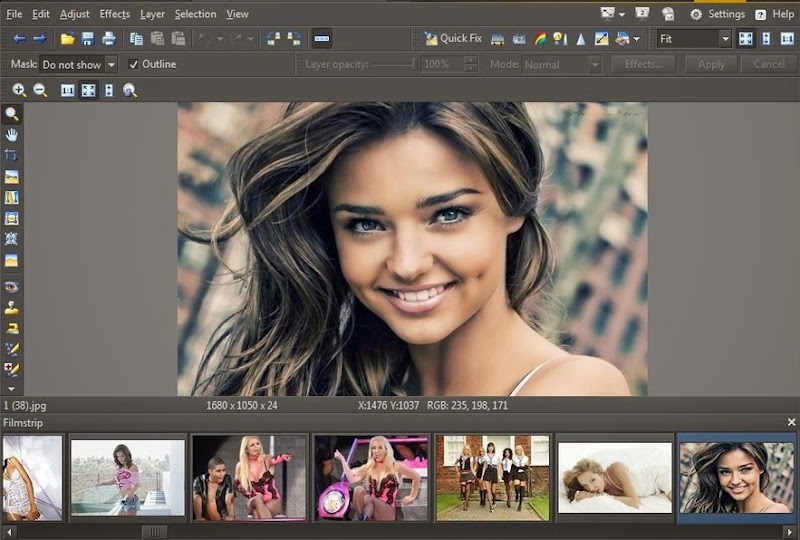
This easy-to-use photo software is all-in-one. It's all there - from import to organization to editing, sharing, and RAW. Almost everything you can do in Zoner, you can do on batches too - for example, save time by framing 1000 photos at once. Importing: Autotag your photos, back them up, fix rotation and more, right during import. Managing: Tag pictures with descriptions, ratings, keywords, GPS, and more. Find any photo fast. Delete duplicate photos. Editing: Crop, resize, straighten, do local edits, and fix exposure and color easily. Get creative with quick filters, HDR, 3D, lens flare and cartoon filters.

What's new in this version:
New in release 17:
Import:
  • Faster import
  • Tag and rename pictures right during import
Managing and Browsing:
  • DLNA - slideshows straight to a TV, phone, tablet, or 2nd computer
  • Automatic photo indexing
  • All-new tool for finding and handling duplicate photos
  • Keyword hinting
  • Easier photo-rating shortcut keys
  • Star ratings
Editor:
  • Exposure-based gradient filter
.............. nore


BUSINESS CARD MX 4.93 - create your perfect presentation card without knowledge of design


business cards software
This program will help to design and print a professional business card. The interface of the program has been designed in such a way that even a beginning user will not have problems with using the program. The process of designing is based on inserting ready for use elements accessible in the program such as figures, images and the background, and freely shifting them on the prepared project.


Another advantage of the program is the possibility of saving data about a company or people so that it can be used later while designing a business cards. BusinessCards MX uses templates which you can prepare on your own, or you can use ready models , templates of business cards accessible in it. BusinessCards MX is very easy to use business cards maker software.


AMAZING SLIDER 4.5 (Give stunning presentations to your web design projects)


An easy-to-use Windows & Mac app that enables you to create beautiful, professional, responsive jQuery Slider, YouTube Video Gallery, WordPress Slider Plugin and Joomla Slideshow Module.

Download Free Versions for Windows and Mac
With a wizard style user interface, fancy transition effects, plenty of professionally made templates, supporting for both images and YouTube videos - making an Amazing Slider has never been so easy and so fun!

Features
All Modern Devices and Web Browsers
Powered by jQuery, the created slider can work all modern devices and web browsers, including iPhone, iPad, Android, Windows Phone, Tablet, Firefox, Chrome, Safari, Internet Explorer 7, 8, 9 and 10.

jQuery Slider
WordPress Slider Plugin
Ready for Dreamweaver, Frontpage, WordPress and More
You can create the slider as a WordPress Slider Plugin. Or you can create the slider as HTML files which can be easily inserted to Dreamweaver, Frontpage and other HTML editors. It's also easy to insert multiple sliders into one web page.

Amazing and Professional
Amazing Slider comes with awesome transition effects: Fade, Cross Fade, Slide, Slice, Blinds, 3D, 3D Horizontal, Blocks and Shuffle. Each effect can be further customised to meet your own needs. The pre-made and highly configurable skins can give your slider a professional and unique looking.

jQuery Sliders Examples
YouTube Video Gallery
Images and YouTube Videos
Not just jQuery Image Sliders, you can also use Amazing Slider to create YouTube Video Galleries. Or you can combine images and YouTube videos in one slider!

Fully Responsive
The created slider resizes automatically according to the screen size or web browser size which lets you easily create mobile friendly websites.


AMAZING CARROUSEL 3.0


Amazing Carousel is an easy-to-use Windows & Mac app that enables you to create circular, responsive jQuery Carousel and jQuery Image Scroller. The carousel can also be published as WordPress Carousel Plugin, Joomla Carousel Module and Drupal Carousel Module.


CSS HAT (give an CSS code instantly to any photoshop layer) the perfect tool for web design


Using CSS over images gives front-end developers many benefits. However it requires a ton of hand-coding to reflect all the layer styles into the code. CSS Hat prevents this pain. It accurately translates layer styles into CSS in a jiffy - no waiting, forget hand-coding, we pinky promise!


WYSIWYG Web Builder 10.0.0 (BRAND NEW, BEAUTIFUL AND POWERFUL)


Web Builder is a WYSIWYG (What-You-See-Is-What-You-Get) program used to create web pages. The program generates HTML tags while you point and click on desired functions; you can create a web page without learning HTML.

WYSIWYG Web Builder 10!
• Visually design your website (What-You-See-Is-What-You-Get).
• No HTML knowledge required! Just drag & drop objects to the page!
• Outputs standard HTML4, HTML5, XHTML, CSS3, PHP.
• Template support (100+).
• HTML5 Audio/Video, YouTube, Flash Video and more!
• Slidehows, photo galleries, rollover images, rollover text.
• Navigation bars, Menu bar and many other navigation options.
Desktop publishing for the web, build web sites as easy as Drag & Drop!
• “One Click Publishing” No FTP program needed. No special hosting required, use with any Hosting Service!
• Easily create forms using the built-in Form Wizard plus Form validation tools and built-in CAPTCHA.
• Advanced graphics tools like shapes, textart, rotation, shadows and many other image effects.
• Fully integrated jQuery UI (Accordion, Tabs etc), animations, effects and built-in ThemeRoller theme editor.
• Google compatible sitemap generator / PayPal eCommerce Tools
• Many navigation tools available: Navigation bars, tab menus, dropdown menus, sitetree, slidemenus.
• Built-in Slide Shows, Photo Galleries, Rollover images, Banners etc.
• Support for YouTube, Flash Video, Windows Media Player and many other video formats.
• Unique extension (add-on) system with already more than 250 extensions available!
Create HTML5 / CSS3 websites today!
• HTML5 document type (optimized HTML5 output).
• HTML5 audio/video and YouTube HTML5 support.
• HTML5 forms: native form validation, new input types and options, web storage.
• HTML5 and support in shapes and other drawing tools.
• CSS3 @font-face. Use non web safe fonts in all modern browsers.
• CSS3 opacity, border radius, box shadow.
• CSS3 gradients. Add cool gradient effects using native CSS3 (no images).
• CSS3 navigation menu. Create awesome menus without using JavaScript or images.
• CSS3 animations and transitions. Including support for 2D and 3D transforms!

Features for advanced users:
• Login Tools/Page Password Protection.
• Built-in Content Management System with many plug-ins (guestbook, faq, downloads, photo album etc).
• Add custom HTML code with the HTML tools.
• JavaScript Events: Show/hide objects (with animation), timers, move objects, change styles etc.
• Layers: Sticky layer, Docking layer, Floating layer, Modal layer, Anchored layer, Strechable layer and more!
• jQuery Theme Manager, create your own themes for the built-in jQuery UI widgets.
• Style Manager (global styling, H1, H2, H3 etc).
• Master Frames and Master Objects: reuse common element in your website.
• and much more! 


© 2014 BoostYourBrain. All rights reserved.